A digital preview for Zylvora Studio, by Sea Grape Labs

You built an impressive business. Imagine the digital side built the same way.

Zylvora designs logos, brand identities, social media and print that Lusaka businesses are proud to put their name on. This preview shows what happens when the studio's own digital side gets that same craft: a website people play with, a system that runs every project from inquiry to final files, and a portal your clients will want to log in to.

Everything here is a real, working system with its own database, filled with clearly labeled sample clients. Payments are simulated, nothing is sent to anyone, and Zylvora's current website has not been touched.

What your clients see, and the studio system behind it.

The same website, opened up. Every inquiry, deposit, revision and file on the other side is a real record, not a picture of one.

Zylvora Studiothe new website and the command centerThe websiteThe system behind it

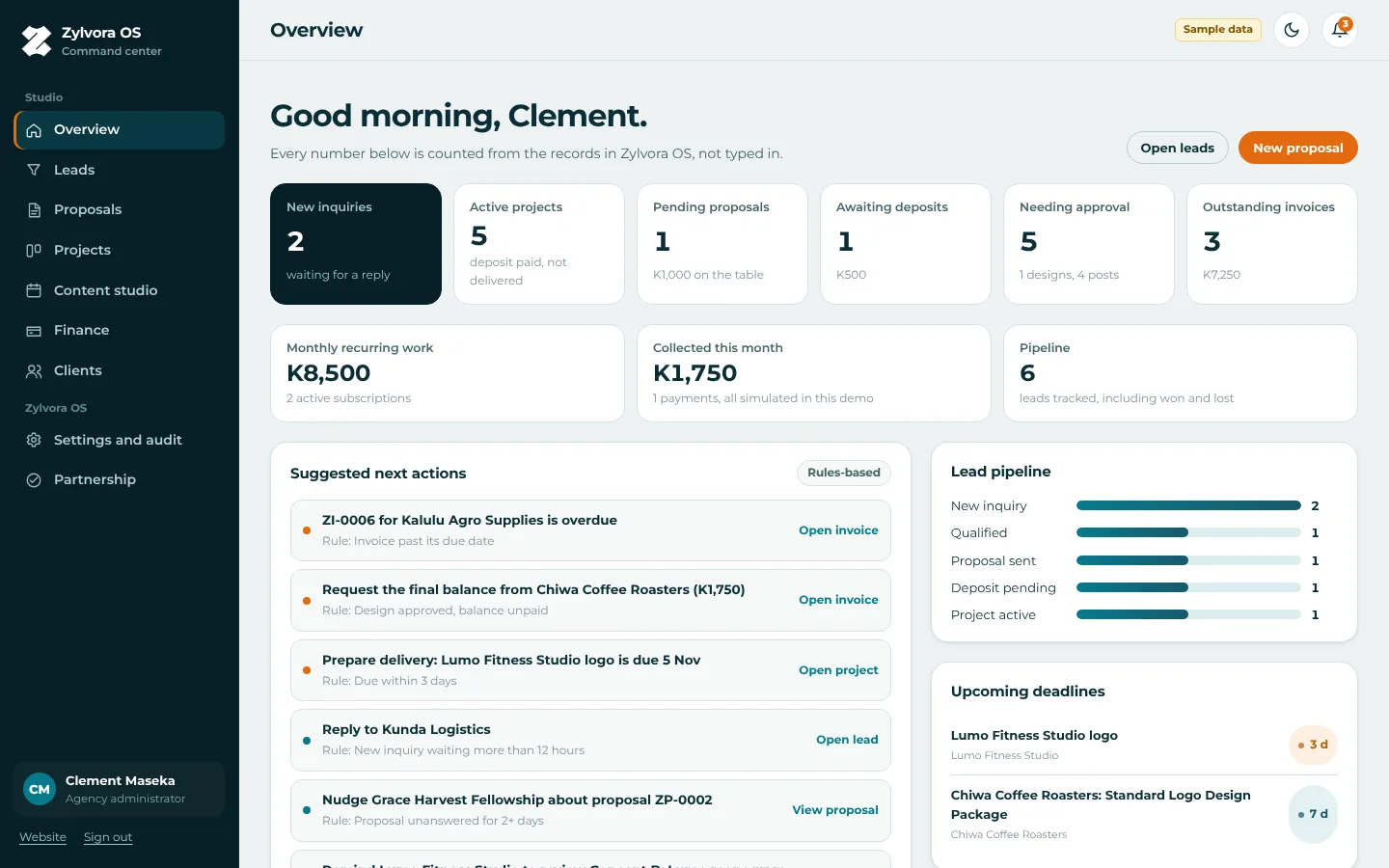
Zylvora OS command center: new inquiries, active projects, deposits, approvals and invoices counted from real records 1Every inquiry, brief attached 2Deposits and balances tracked 3Next actions, worked out for you 4Inquiry to project, one pipeline
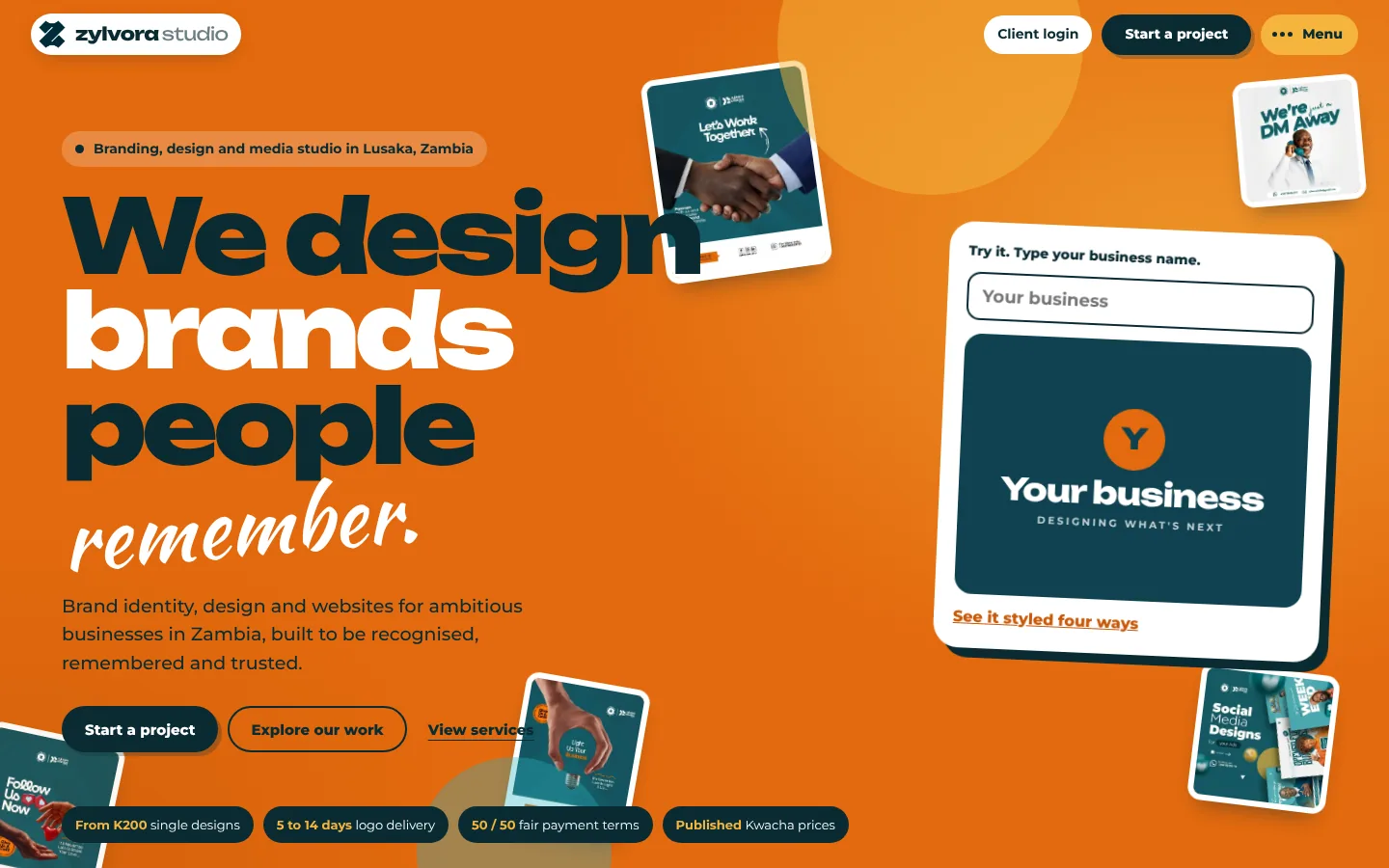
The new Zylvora Studio website: We design brands people remember, with a live brand playground

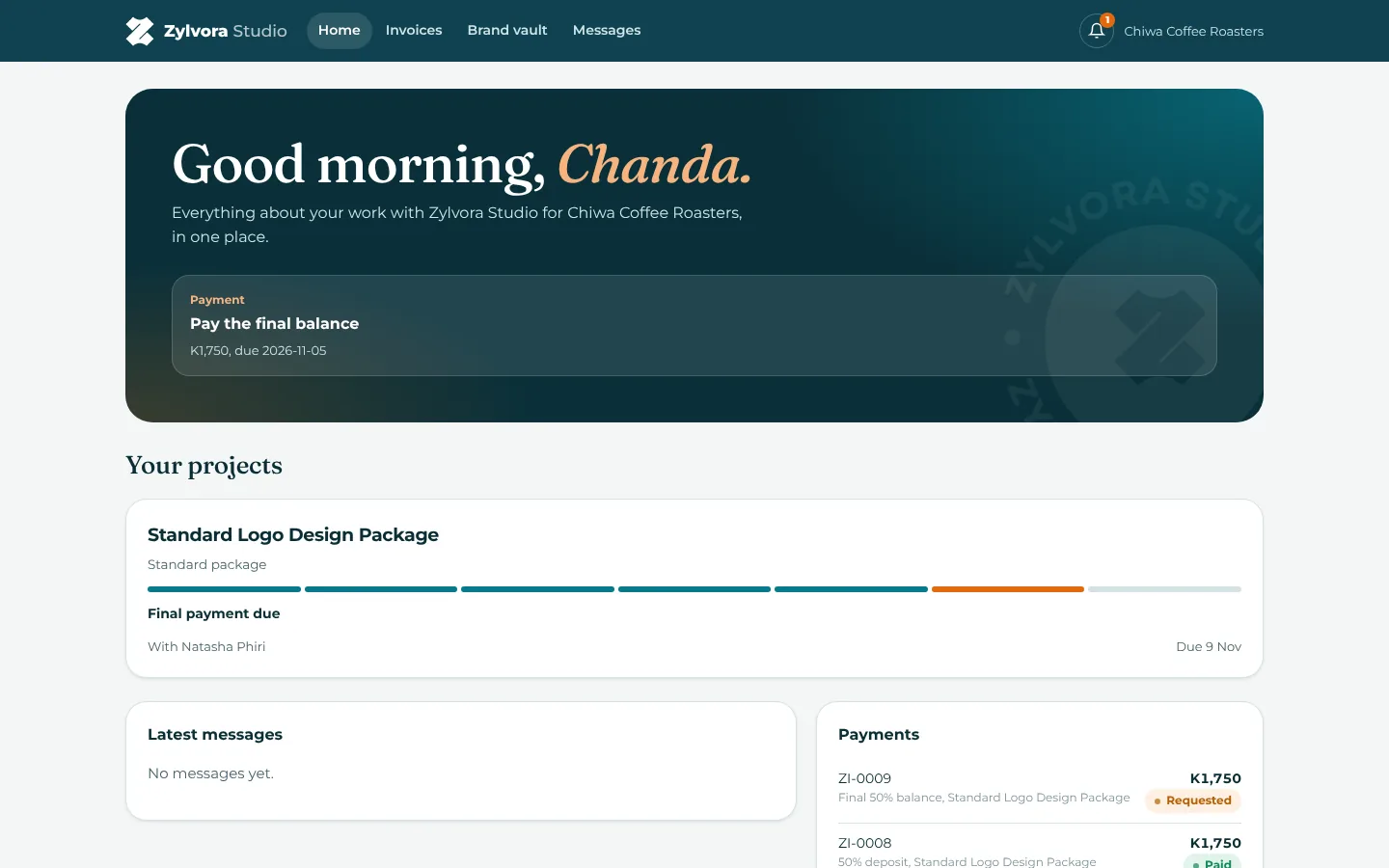
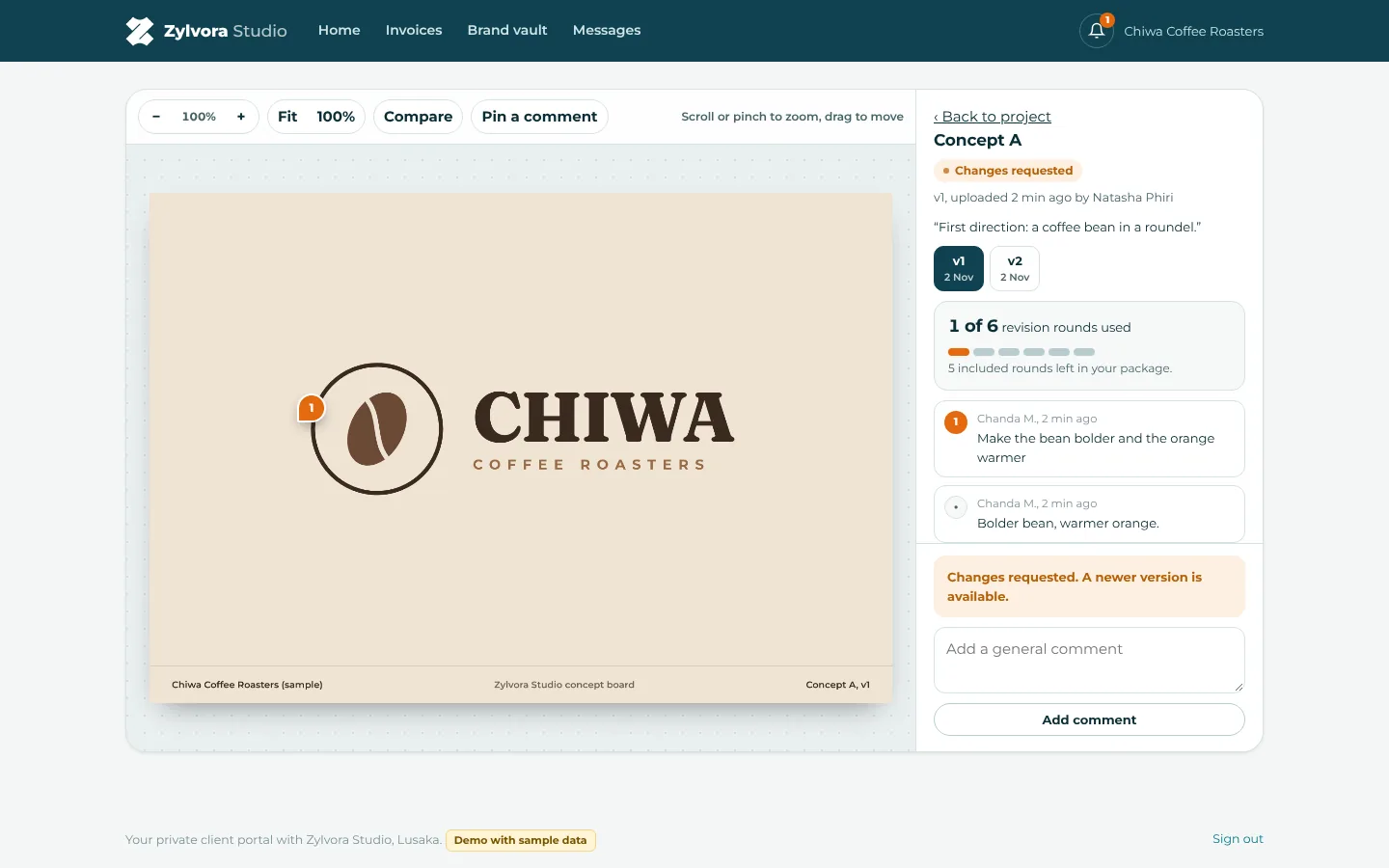
Chiwa Coffee Roastersa sample client, in their own portalTheir portalReviewing a concept

Proofing screen: a pinned comment on the logo concept, versions one and two, and the revision rounds used 1Feedback pinned on the exact spot 2Every version kept 3Revision rounds counted for you
A sample client's portal home: what needs them, their project progress and their payments

Three guided scenarios, a few minutes each.

Pick one and the guide walks you through the real screens, switching between Clement, the designer and the client for you. A step only ticks off when the database says the work is really done.

A

A brand-new client finds Zylvora

From playing with the website to a proposal waiting in the client's portal.

  1. Brand playground
  2. Standard logo package
  3. Creative brief
  4. Lead in the command center
  5. Proposal sent
B

The client says yes, pays and reviews

Deposit confirmed, concept uploaded, feedback pinned, version two, approved.

  1. Confirm the 50% deposit
  2. Upload a concept
  3. Client pins feedback
  4. Version two
  5. Client approves
C

Final payment and the brand vault

The balance is paid, files unlock, and the whole story sits on one timeline.
  1. Client pays the balance
  2. Confirm and release files
  3. The client's brand vault
  4. The full timeline

You run Zylvora. I’ll handle the digital side.

You don’t need to become a web developer, SEO expert, AI expert or software developer. You already have a business to run.
You tell me how Zylvora works. I build the technology around it.Discovery first. Decisions about what to connect or replace come after we understand how the studio works, not before.
Easier to discover, easier to understand.Visibility means making Zylvora’s services and expertise clear to the people looking for them. No promises about rankings or AI recommendations, just a site that explains the work well.

Built around your workflow

  • Nothing here assumes a tool you use today has to go. WhatsApp stays for conversations; the records live in one place.
  • Your prices, packages, revision rounds and payment terms are settings, not code.
  • Where something is painful, we build a better version. Where it works, we leave it alone.

What a real build adds

  • Real mobile money and card payments through a provider, with Zylvora's own merchant account.
  • Email and WhatsApp notifications that actually reach you and your clients.
  • Your real clients, your real files and your own domain.

What works in this preview, and what is simulated.

Works right now

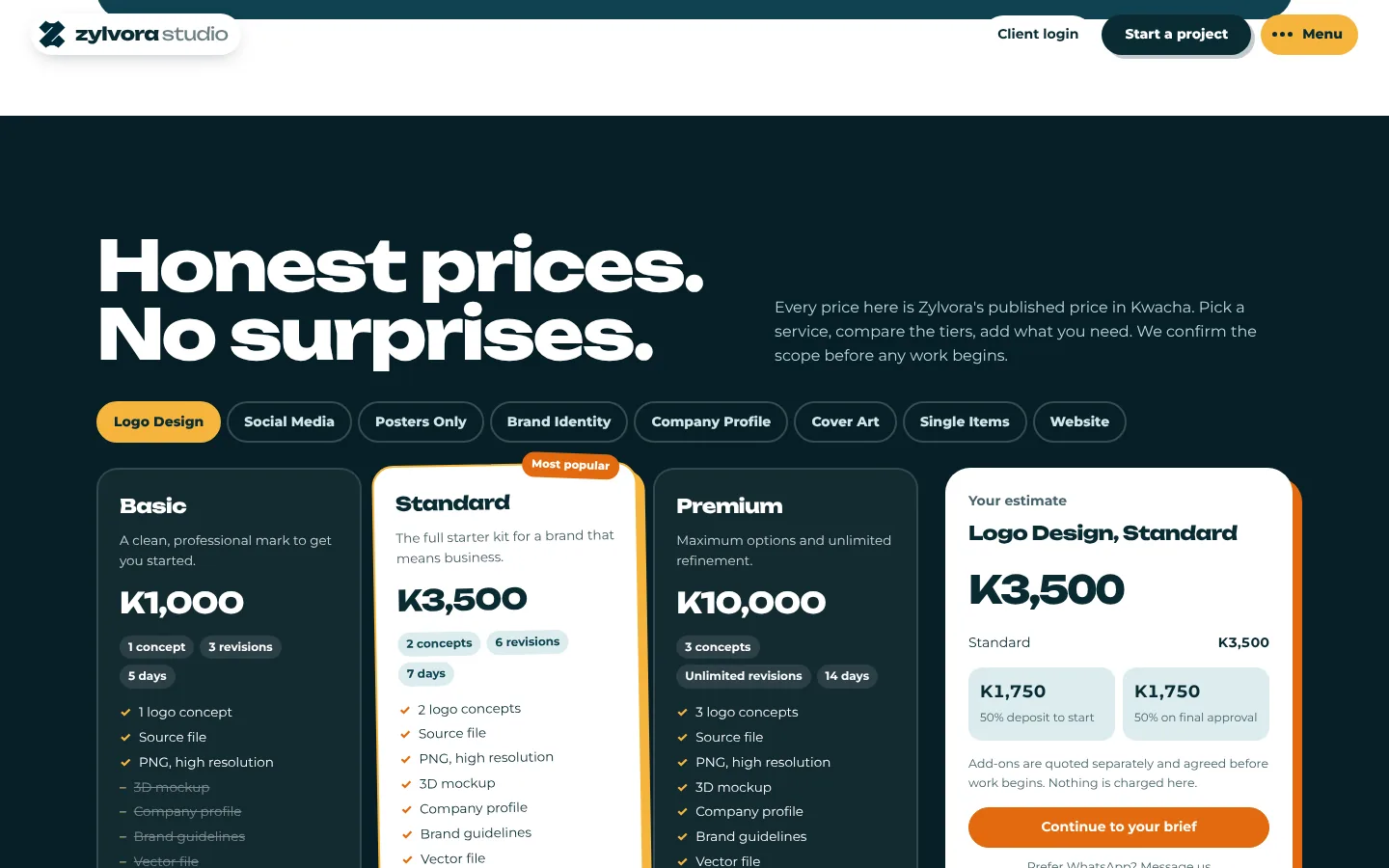
  • The website loads Zylvora's prices from the database, styles any business name live, and sends a real creative brief that saves as you type.
  • The command center turns that brief into a lead, a proposal with the 50% deposit split, a project with tasks, and an invoice, with an activity log for all of it.
  • The client portal lets the client accept the proposal, report a payment, pin comments on a design, request changes or approve, and download released files from their brand vault.
  • Revision rounds are counted on the server, and final files stay locked until the balance is confirmed.
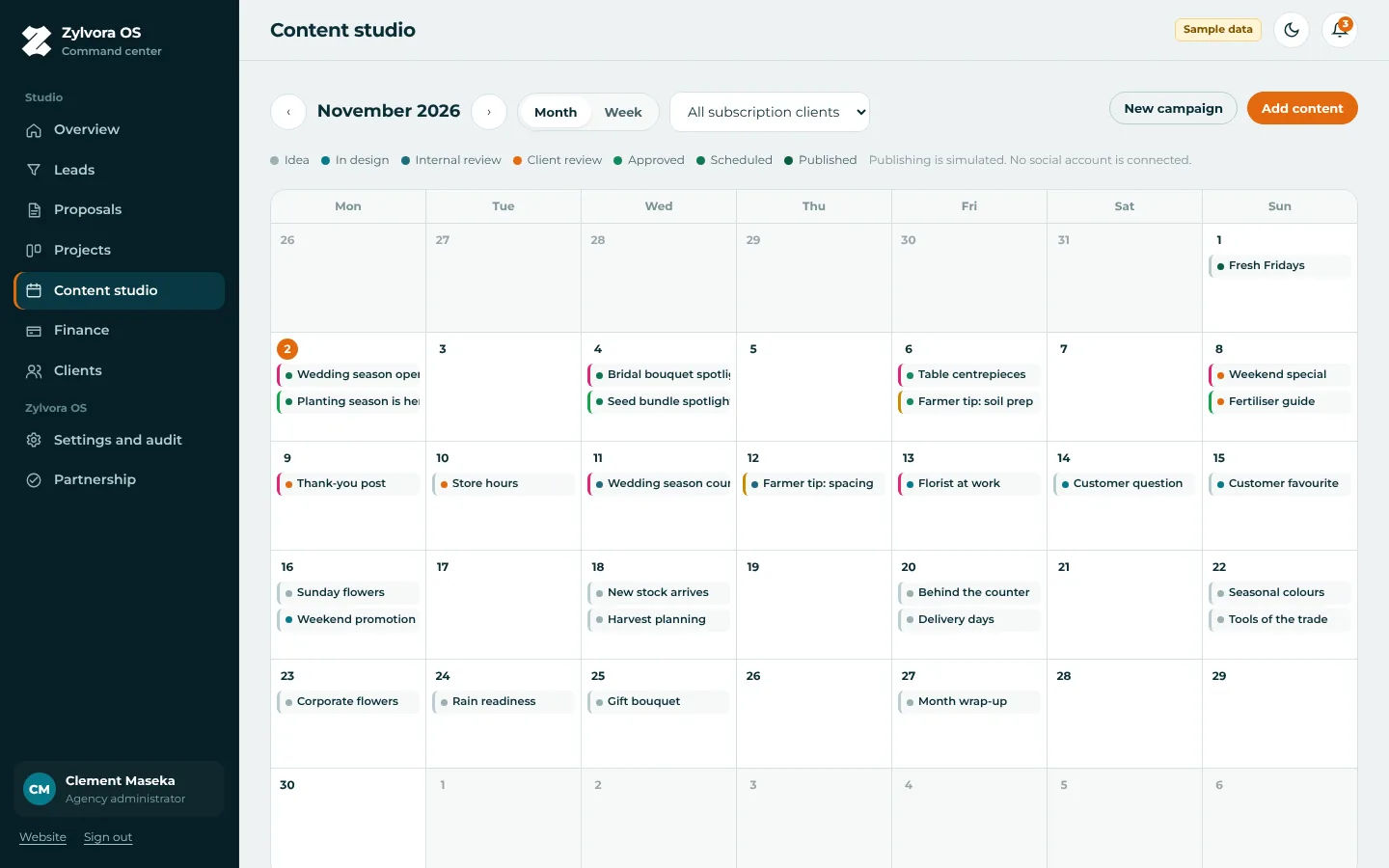
  • The content studio plans monthly social media work and collects client approvals.
  • Reset in the top bar puts every record back to the starting sample data.

Simulated for the demo

  • Payments. The mobile money screen is a simulation and no money moves; Clement confirms by hand, as he would after checking his statement.
  • No emails, texts or WhatsApp messages are sent. Notifications show inside the app only.
  • Accounts sign in with one click from the top bar. A real build uses each person's own password.
  • Every client, project, invoice and amount is sample data, labeled as such. Chiwa Coffee Roasters is fictional.
  • The artwork is Zylvora's own, from its public posts, used for this preview only.

What do you use to run Zylvora behind the scenes?

Optional, and not a test. This is how I learn how the studio works so the technology fits you, not the other way around. Just describe a normal week.

A few questions about a normal week

Answer whatever is easy and skip the rest. Your answers stay in this browser; use the copy button to send them to me however you like.

Saves automatically in this browser.
The goal isn’t just to build Zylvora a better website. It’s to build Zylvora a digital platform worthy of the company you’ve already built.
Sea Grape LabsBuilt around your business.

Scott Lovel, scott@seagrapelabs.com, seagrapelabs.com, Jupiter, Florida

Preview prepared November 2026 for Zylvora Studio, Lusaka. Zylvora's artwork and brand are used with this preview only and belong to Zylvora.Sample data only. Not a production system.